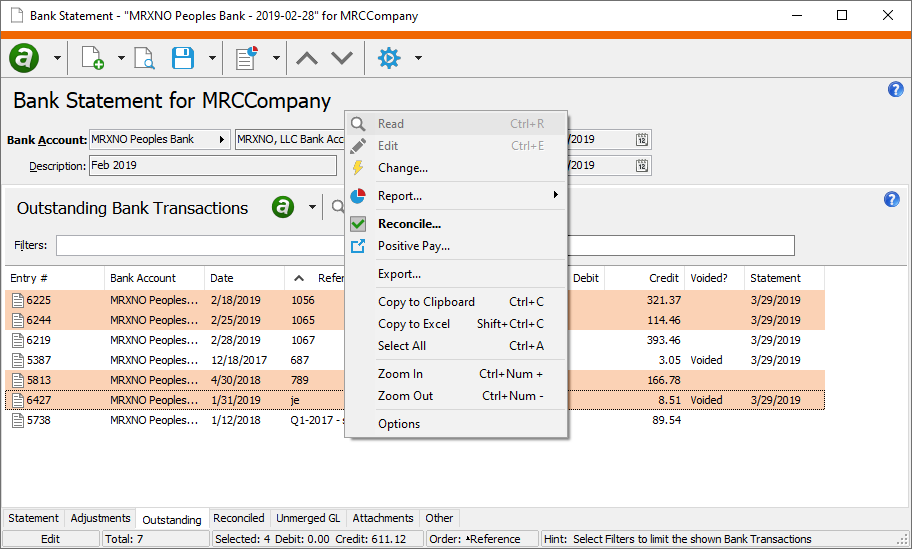
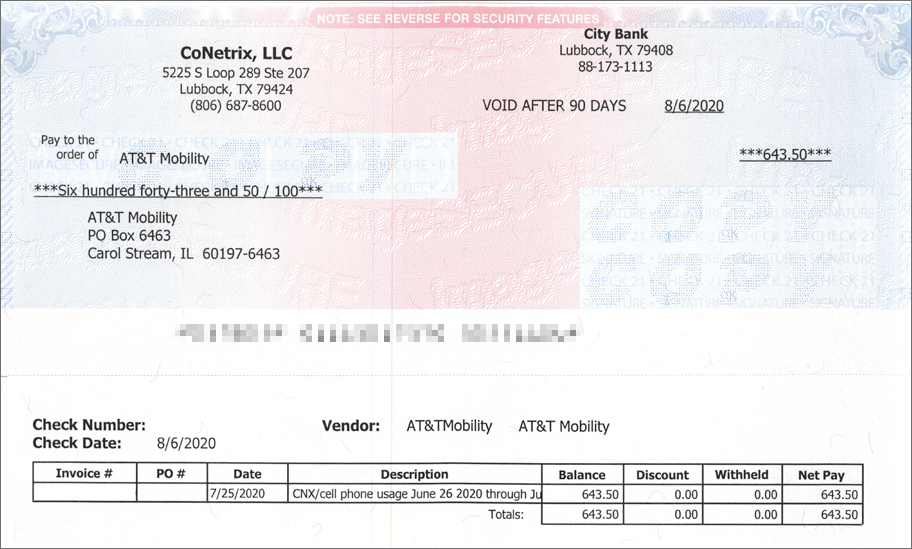
ActivBR tracks your organization’s bank transactions and helps you reconcile these transactions to the statements from your bank. Compare your records automatically and easily view differences between these two sets of records for your cash transactions. ActivBR also maintains the check designs, check audit processes, positive pay, and EFT transaction information for the entire ActivityHD system.


Manage Banking Relationships

ActivBR is the central place to manage all banking relationships for the entire ActivityHD ERP system. Check design, positive pay, EFT information, routing numbers, and more are recorded and maintained in ActivBR. ActivPR, ActivAR and ActivAP integrate with our bank reconciliation software.
Manage Banking Relationship

Easy Bank Reconciliation

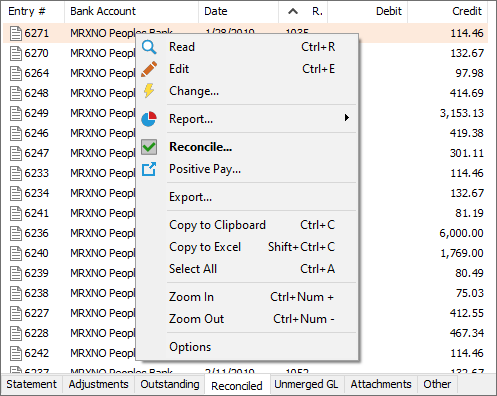
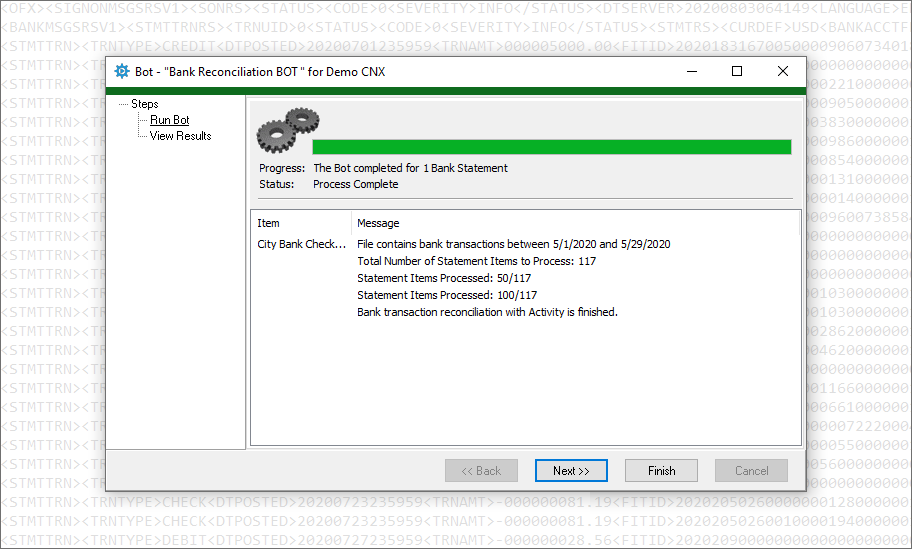
ActivBR makes it easy to view what has been reconciled, or what is still outstanding. In ActivBR you can not only view the data easily, but you can move items seamlessly between the two sets of data. The software allows you to reconcile manually, or you can reconcile in bulk with a downloadable file from your bank.
Easy Bank Reconciliation

Enter Adjustments

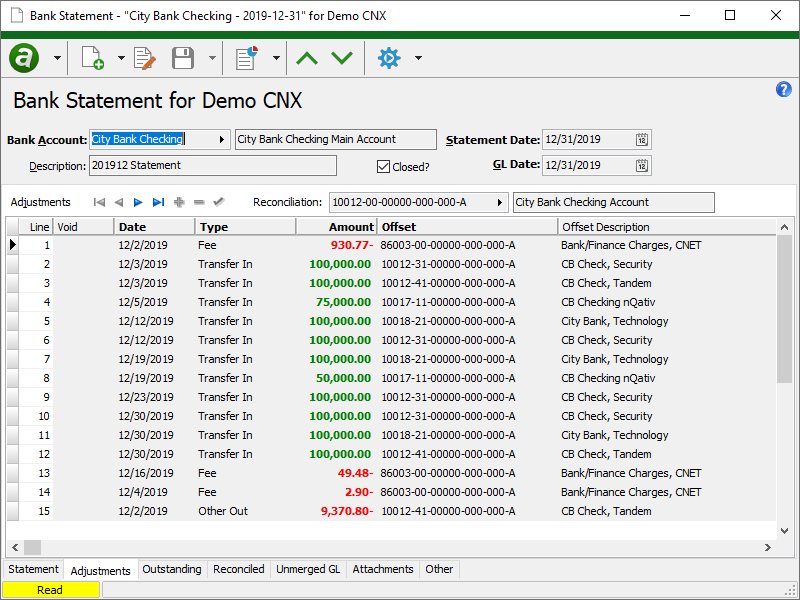
When you receive your bank statement, there may be fees, bank account transfers, and bank errors that require adjusting postings to the general ledger. These adjustments can be made directly in the ActivBR package rather than going to ActivGL to make the postings. This makes it efficient and traceable.
Enter Adjustments

One-Stop-Shop

Visualization of the bank reconciliation process is a key feature of ActivBR. You can see all the reconciled, outstanding, and general ledger postings in one location. You can scan your bank statement and attach to the electronic record.

Automated Reconciliation

All banks offer a standard download format for transactions (e.g. QIF, QFX, QBO, CSV). Any of these formats can be used to automate the reconciliation process.

Manual Reconciliation

For bank accounts with few transactions, you can manually move items back and forth from the outstanding state to the reconciled state in order to complete the reconciliation process.

Check Design - Standard or Custom

Bank Reconciliation provides multiple pre-designed check forms. These forms are available for preprinted and blank check stock. You can also develop your own check designs.

Additional Features

In addition to the features outlined above, you will also have the ability to:

  1. Integrate with ActivPR, ActivAR, and ActivAP
  2. Drill down to the original deposit or payment when integrated with our core financial packages
  3. Clearly see and document gaps in check sequencing for any torn, voided, or misprinted checks
  4. Explain the reasons for any breaks when they happen, not when auditors get involved
  5. Generate and send positive pay files to your bank to validate bank transactions and control who and how much your bank pays on your behalf
  6. Fully support EFT, printed checks, debit cards, and manual checks
  7. Reconcile items other than bank accounts such as credit cards, suspense accounts, health insurance statements, etc.
  8. Automate repetitive tasks within ActivBR using automation tools included in the software

"We write a minimum of 200 checks a month to one time vendors every month. This used to take 1 1/2 days a month, now it takes literally five minutes (less if my printer was faster). They deliver what they promise and more."


Barbara P.

ControllerHealthcare Industry

"The functionality of the software to generate financial statements within minutes is phenomenal! The ability of the system to reduce journal entries because of the accounts payable & accounts receivable systems to do accrual with the extra GL feature makes operations more efficient!"


Raechelle G.

CFOAccounting Industry

"We currently use all packages that the software offers, and run multiple companies in the software. They are on the cutting edge of technology but keep a customer service level that is second to none."


Jennifer M.

ControllerEntertainment Industry

"AccountingWare provides great customizable software that can be used for an entire company in all aspects of the accounting system including asset management, payroll, and bank rec. It ties back to the General Ledger account codes and is very easy to manipulate."


Matt C.

CEOTravel & Tourism Industry

Frequently Asked Questions

How do I enter additional bank fees or charges?

To manage transactions on your actual bank statement, such as additional charges, fees, or deposits, use the table on the Adjustments tab. Each adjustment creates a posting to the reconciliation account and a posting to the offset account you specify. The adjustments for a particular statement are aggregated into a single journal entry. When you merge a statement's adjustment journal entry, the necessary bank transactions are created automatically and become available on the appropriate statement for reconciliation.

Can I use prenumbered check stock?

Yes, and you can account for (audit) any missing check numbers within the software with documentation for the missing check sequence numbers.

Can I use blank check stock?

Yes. The ActivBR system will provide number sequencing of the checks automatically and print any custom logos on the checks.

Can I automatically sign any check below $500.00?

You can set your own limits for automatic signing of the check. You can also set limits on which checks require multiple signatures.

What is Positive Pay?

Because of fraud related to doctored checks, banks will accept electronic files (positive pay files) that identify check payees and amounts for validation. If the check is altered before being presented to the bank for payment, then the bank will refuse to pay the check. ActivBR will create these files to send to your bank for each check run.

I have a sweep account at my bank. How do I enter all the sweep amounts into the ActivBR system?

You may choose how you enter sweep amounts. You can enter (or import) the transactions in the general ledger. The best way is to download these sweep transactions and use a BOT to post these transactions. They are then cleared with the ActivBR system.

Can I scan or download my bank statement and attach to the electronic reconciliation?

Yes, you can attach any file of any type to the electronic statement in ActivBR.

What happens if a check is lost and I need to reprint?

ActivityHD in conjunction with ActivBR will allow you to “reprint” any check (with security controls). You can also void the payment and reissue a replacement check.

Ready to see what Bank Reconciliation Software can do for you?